KnowSales MCP in Practice: Use Codex, Claude Code, Cowork, WorkBuddy, and Qwen with Sales Context
A verified guide to using Codex, Claude Code, Cowork, WorkBuddy, Qwen, and other AI agents with KnowSales customer profiles, product knowledge, and communication history through MCP.
The short answer
The most useful KnowSales entry point does not have to be another AI chat page. Salespeople and consultants can keep working in a general-purpose AI agent they already know:
- the general AI handles search, reasoning, files, writing, and tool orchestration;
- KnowSales preserves customer profiles, sales product knowledge, and communication history;
- MCP connects the two and limits what each credential and role can read or write.
As of August 28, 2026, a KnowSales user has continuously used Codex, Claude Code, Cowork, WorkBuddy, and Qwen to read from and write to KnowSales through MCP. “Verified” here is evidence from real user workflows, not official certification of KnowSales by those client vendors.
What KnowSales MCP actually is
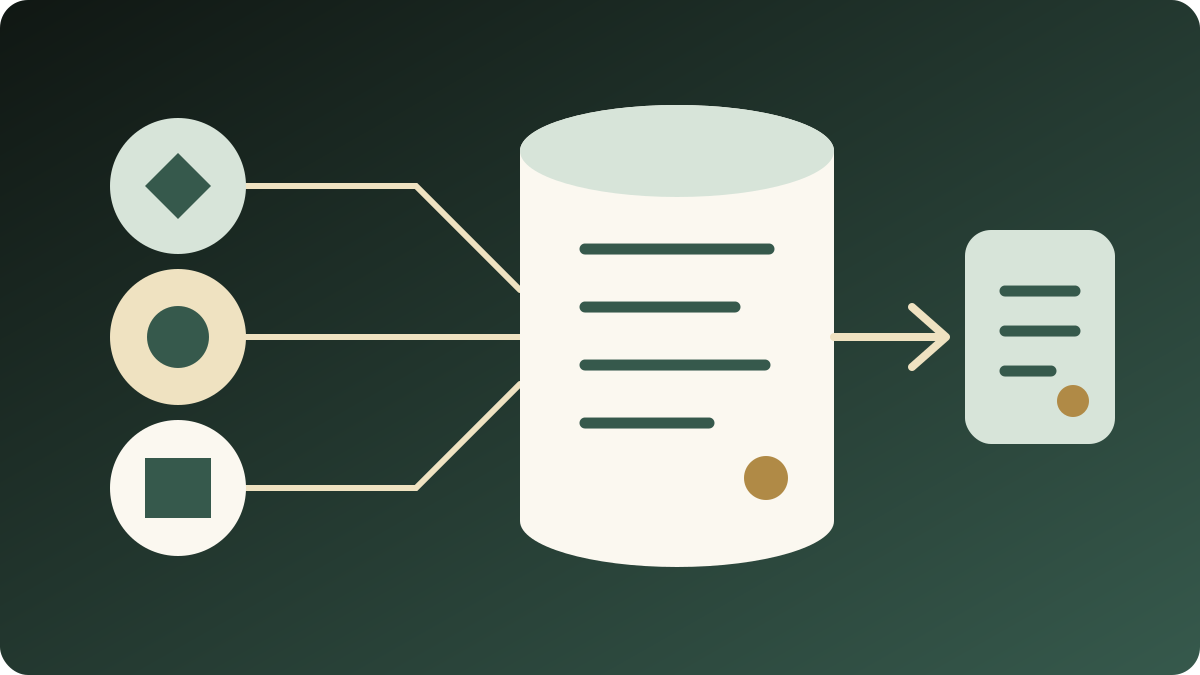
The Model Context Protocol is an open protocol through which AI clients call external data and tools. In KnowSales, a compatible client does not need a copy of the entire workspace. It calls explicit sales tools for the task at hand.
The more accurate product role is therefore:
KnowSales is an MCP-native sales context and tool layer, not another general-purpose chatbot.
The built-in KnowSales Agent remains useful as a complementary access, management, and verification surface. The primary productivity experience can stay in the large general-purpose AI product the user already knows.
What can be retrieved and captured
The visible tools depend on credential permissions, tool allowlist, and workspace role. There is no fixed tool count that applies to every user.
| Sales object | Typical retrieval | Typical write or organization task |
|---|---|---|
| Customer profile | Find company, contacts, industry, product interest, and recent activity | Save or correct stable profile facts |
| Communication and follow-up | Search email, call, visit, and inquiry activities | Create a separate record for each interaction |
| Product knowledge | Search features, specifications, FAQ, pricing, and process knowledge | Add or update product knowledge when authorized |
| Sales experience | Search objection handling, competitive intelligence, and cases | Capture reviewed talk tracks, market observations, and cases |
| Account management | Review lists, priority accounts, and follow-up dashboard | Update next steps and record outcomes |
Two-way access does not mean every key can write. A read-only credential does not expose write tools. Customer-intake, team-knowledge, and external-partner credentials should also have different tool lists.
Verified clients and validation boundaries
| Client or platform | Current KnowSales statement | Evidence boundary |
|---|---|---|
| Codex | Two-way use in continuing real workflows | User-verified; configuration varies by Codex environment |
| Claude Code | Two-way use in continuing real workflows | User-verified; Anthropic separately publishes MCP documentation |
| Cowork | Two-way use in continuing real workflows | User-verified, not vendor certification |
| WorkBuddy | Two-way use in continuing real workflows | User-verified; official MCP configuration documentation exists |
| Qwen | Two-way use in the current KnowSales connection path | User-verified; do not generalize to every Qwen version or account |
| ChatGPT | Official remote MCP/connector capability exists | Plan, role, and admin conditions apply; not marked as KnowSales-verified here |
| Doubao and other clients | Validate before claiming compatibility | Cloud-platform MCP support does not prove direct consumer-client access |
Primary references: Claude Code MCP, WorkBuddy MCP guide, ChatGPT developer mode and MCP, and Alibaba Cloud Model Studio MCP.
A more reliable connection workflow
Client interfaces change frequently. The steps below cover the KnowSales-controlled and verifiable parts; they do not promise a fixed setup time.
Step 1: choose a least-privilege credential
Sign in to KnowSales, open AI Connections, choose a workspace, and create a credential that matches the job. The current page provides templates for:
- knowledge read-only: query internal product knowledge and talk tracks;
- customer intake: read necessary knowledge and customer data, then save customer profiles and activities;
- partner knowledge read-only: retrieve only verified, published, audience-permitted shared knowledge;
- team knowledge administrator: manage shared knowledge without customer-profile access.
An API key is displayed in plaintext only once. Use a separate credential for each client whenever practical so that access can be revoked without affecting every connection.
Step 2: add the KnowSales MCP server to the AI client
The current KnowSales MCP server address is:
https://knowsales.ai/api/mcp
For a client that accepts API-key authentication, configure the MCP request header according to that client's instructions:
Authorization: Bearer YOUR_API_KEY
Never paste a real key into a public article, screenshot, repository, or shared group. Clients that support OAuth can use their connector authorization flow. Effective access still depends on KnowSales workspace membership and the granted scope.
Step 3: validate reading before writing
A green connection indicator is not sufficient. At minimum:
- list tools and confirm that only the expected tools are present;
- search for a known product item and check its title and source;
- find an unambiguous customer and verify company identity and recent activity;
- write only when there is a real, confirmed record to save;
- call
get_customerorget_activityto verify the target, content, and time after writeback.
If the tool list is too broad, customer identity is ambiguous, or readback differs from the intended write, stop and inspect the key template, workspace, and client configuration.
Five frequent sales workflows
1. Reply to customers with relevant context
Have the AI retrieve the target customer profile, recent communication, and relevant product knowledge before drafting. Missing evidence should remain an explicit question, not become a plausible-sounding specification.
2. Capture post-meeting follow-up
Store company background, contacts, and stable preferences in the customer profile. Store each email, call, meeting, promise, and next step as a separate activity. Do not mix the two layers.
3. Build durable personal industry experience
Salespeople and consultants can organize recurring application questions, objection patterns, and market observations, then save reviewed material into product knowledge, talk tracks, or shared knowledge. The experience no longer lives only in one AI conversation window.
4. Prepare product answers and proposals
A general AI agent can combine KnowSales product knowledge, customer-confirmed requirements, and external research to prepare an answer or proposal structure. Web findings and customer-confirmed facts must remain separately labeled.
5. Manage customer relationships continuously
Start with the customer dashboard and follow-up queue, then inspect the profile and activities of priority accounts. Write the outcome back after the interaction. AI can help prioritize and draft, but model inference should not be stored as customer fact.
Why this is more durable than one AI chat history
| Memory inside one AI provider | KnowSales as an MCP sales context layer |
|---|---|
| A model change requires re-explaining the business | Models change while sales objects persist |
| Customer facts and product knowledge mix in chat | Profiles, activities, and product knowledge stay separated |
| The source of an answer is difficult to verify | Knowledge objects and activities remain traceable |
| Write scope depends on temporary chat instructions | Tool lists are constrained by credential and role |
| Personal experience is difficult to reuse as a team asset | Reviewed experience can be captured and reused |
FAQ
Does every MCP client work immediately?
That should not be promised. Protocol compatibility is only the first step. Transport, authentication, tool calls, permissions, and client versions must also be validated. KnowSales marks an entry point as verified only after a real end-to-end read and write path has been exercised.
Can the AI automatically modify every customer record?
No. Write tools appear only when the credential and role permit them. High-risk delete tools require stronger permissions and explicit confirmation. For customer data, verify the unique customer and evidence boundary first, then write and read back.
Does connecting guarantee better answers?
No. Correct sales context and sources are generally more useful than having no internal context, but a model can still misunderstand, omit, or combine information incorrectly. Specifications, pricing, contracts, and customer commitments require human verification.
Next step
Connect your AI workspace to KnowSales, then validate the tool list, account retrieval, product Q&A, and one controlled write-and-readback path with least privilege.
Compatibility status is current as of August 28, 2026. Client features, plans, and interfaces can change. This guide does not promise a fixed setup time, fixed tool count, or compatibility with an untested platform.