What Is MCP Protocol? A Complete Guide for Sales Teams (No Tech Background Required)
Anthropic's Model Context Protocol is reshaping how AI tools connect. For sales teams, it's the difference between a generic AI assistant and one that actually knows your business.
If You're in Sales, Why Should You Care About a "Protocol"?
MCP. Model Context Protocol.
When most salespeople hear those words, their first reaction is: that's a developer thing, nothing to do with me.
But wait.
Before USB was invented, every device had its own connector — printers had one, cameras had another, keyboards had yet another. Switch computers and you needed a whole new set of cables. USB changed that: one standard interface, connects everything.
MCP is doing the same thing for the AI tools world.
Before MCP, every AI tool (CRM, knowledge base, sales tool) operated in its own silo. AI couldn't cross systems to access and integrate information. With MCP, AI can retrieve from any connected knowledge source or tool through a unified interface — in real time.
For sales teams, this isn't a technical detail. It's the difference between having an AI assistant that's actually useful and one that's just an expensive autocomplete.
MCP in Plain Language
No code. No technical jargon. Just one analogy:
Think of AI (Claude, ChatGPT) as a world-class consultant.
This consultant is extraordinarily intelligent — but has one critical limitation: they only know what's in books they've read, not a single thing about your specific company.
You ask: "How should I respond when this customer says our price is too high?"
They give you a textbook answer — because they don't know your product, don't know this customer's background, don't know the history of your conversations with them.
MCP solves this by giving the consultant a master key to your company's private resource room — in real time.
With MCP, before the consultant answers your question, they:
- Check your product documentation
- Pull up this customer's profile
- Review historical cases with similar situations
- Then give advice grounded in your actual business context
That's the essence of MCP: letting AI access any knowledge or tool you designate in real time, instead of relying only on generic information from its training.
The World Without MCP vs. With MCP
Here's a concrete sales scenario comparison:
Scenario: A customer just messaged saying they're interested, but need to understand how your product integrates with their existing systems and whether you have success stories from their industry.
Without MCP (AI has only general knowledge):
Rep opens ChatGPT, types the question.
AI responds: "Regarding system integration, consider these angles: 1. Assess API compatibility... 2. Evaluate data migration feasibility... 3. Understand their system architecture..."
Generic. Technically correct. Completely useless.
With MCP (AI connected to KnowSales in real time):
Rep opens Claude Desktop connected to KnowSales via MCP, types the same question, mentions "customer is in financial services, existing system is Salesforce."
AI queries through MCP:
- KnowSales integration documentation (finds Salesforce integration steps)
- Financial industry customer case library (finds 3 comparable success stories)
- Objection response cards (finds standard response for "worried about integration complexity")
AI responds: "For a financial services company on Salesforce, we have a standard integration path (typically 2-3 weeks). The specific steps are XX. Among our existing customers, 3 financial institutions with similar profiles have completed this integration — [Bank X]'s situation most closely matches yours (case summary attached). For their likely concern about integration complexity, here's what typically works: ..."
Same scenario. Completely different answer quality. The difference: whether AI can access the right knowledge in real time.
How MCP Works Technically (Sales Edition)
You only need to understand three concepts:
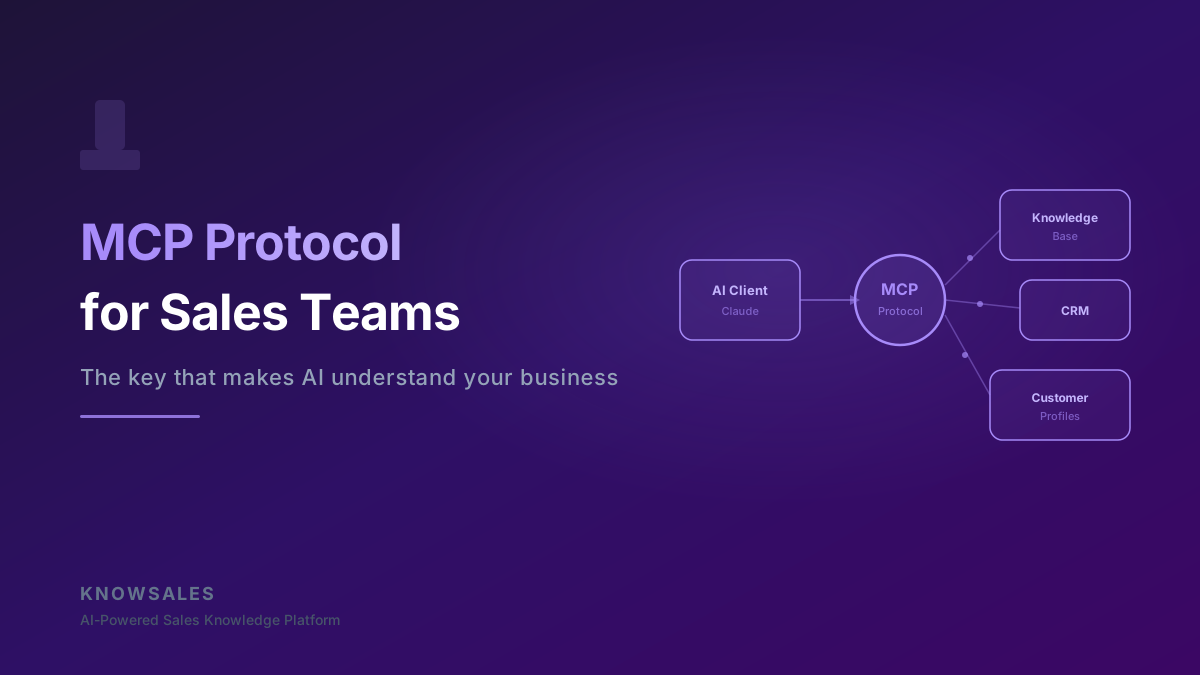
1. MCP Server: This is the "resource room." KnowSales, your CRM, your document system — each can become an MCP server, opening its door to let AI in to check records.
2. MCP Client: This is the "consultant's entry point." Claude Desktop, Cursor — AI tools that support MCP know how to open those resource room doors.
3. Tool Call: This is the "lookup action." When answering your question, AI automatically decides "I need to check the product knowledge base" or "I need to look up this customer's profile," then queries through the MCP protocol. The whole process is transparent to you — you just see the high-quality final answer.
The full flow:
You ask a question
  → AI analyzes what context it needs
  → AI sends queries to connected "resource rooms" via MCP protocol
  → Resource rooms return relevant information
  → AI synthesizes everything and responds
This process typically takes seconds. From your perspective, you just get an AI answer that "knows everything."
Three Real Impacts of MCP on Sales Work
Impact 1: AI Finally "Knows" Your Product
Without MCP, telling AI "help me respond to a question about product integration" gets you a generic answer, because AI doesn't know what you're selling.
With MCP, before answering that question, AI checks KnowSales' product knowledge base for your technical specifications, integration documentation, and API details — then gives an accurate answer based on your actual product.
This is the essential leap from "generic advice" to "dedicated consultant."
Impact 2: AI Starts "Knowing" Each of Your Customers
Connect your customer profile system via MCP, and when you mention a customer's name, AI automatically retrieves:
- Their industry background and company size
- Key content from the last conversation
- Identified pain points and decision concerns
- Which stage of the sales process they're in
Every piece of guidance AI gives is informed by customer context — not pulled from thin air as a generic script.
Impact 3: Multiple Tools Working Seamlessly Together
Imagine connecting KnowSales (knowledge base) + HubSpot (CRM) + a calendar tool. In a single conversation, AI can:
- Retrieve product response approaches from KnowSales
- Check this customer's follow-up history from HubSpot
- Suggest the optimal time for the next touchpoint
This is AI as "sales brain" in its actual form — not a single tool, but a coordinator of multiple tools working together.
Which Tools Currently Support MCP?
As of early 2026, the major MCP support landscape:
AI Clients (MCP clients — tools you use to talk to AI):
- Claude Desktop (Anthropic's official client — most complete MCP support)
- Cursor (code editor, but increasingly used for document and data work)
- Windsurf (developer tool with MCP support)
- More tools joining rapidly
Knowledge Tools (MCP servers — sources AI can query):
- KnowSales (sales knowledge base, native MCP support)
- Notion (via third-party MCP server)
- GitHub (code and documentation)
- Major databases (PostgreSQL, SQLite have official MCP support)
CRM (incrementally supporting):
- HubSpot (community MCP server)
- Salesforce (third-party MCP adapter)
The ecosystem is maturing rapidly. By the end of 2026, expect 80%+ of major sales tools to have MCP support.
Using KnowSales' MCP Integration: The Practical Steps
KnowSales provides a native MCP server. Configuration is genuinely simple:
Step 1: Get your MCP connection configuration
Generate your API key in the KnowSales dashboard. The system automatically generates an MCP configuration file (a short block of JSON text).
Step 2: Add to your AI client
Paste the JSON configuration into Claude Desktop's config file. No coding ability required — this is copy-paste.
Step 3: Start conversations in Claude Desktop
Open Claude Desktop and you'll see KnowSales tools ready. Ask your question directly — AI will automatically query KnowSales whenever it needs product knowledge, customer data, or case studies.
The entire setup takes about 10 minutes. After that, every time you open Claude Desktop, you have an AI assistant that knows your products and your customers.
MCP Isn't the Endpoint — It's the Starting Line
The MCP protocol is still evolving rapidly. Anthropic designed it as an open protocol, meaning any tool can connect and any AI can use it.
This is similar to TCP/IP — not a proprietary technology of any company, but an open standard. Because it was open, the internet was able to connect every device on the planet within a decade.
MCP may become the TCP/IP of the AI tools world: an open protocol that lets every AI tool interoperate.
For sales teams, understanding and using MCP early means entering the world where "AI is genuinely useful" early — rather than remaining in the beginner phase of using AI to generate generic scripts.
You don't need to understand every line of code in the MCP specification.
You just need to know: it's the key that makes AI actually understand your business.
That key exists now.